


Your contacts and deals in one place
Track every contact and move each deal through your pipeline, from pre-listing to sold. Notes, tasks, and activity stay attached to the people and transactions they belong to.

A pipeline for every deal
See your transactions by stage, from pre-listing through under contract to sold, and open any deal for its full history.
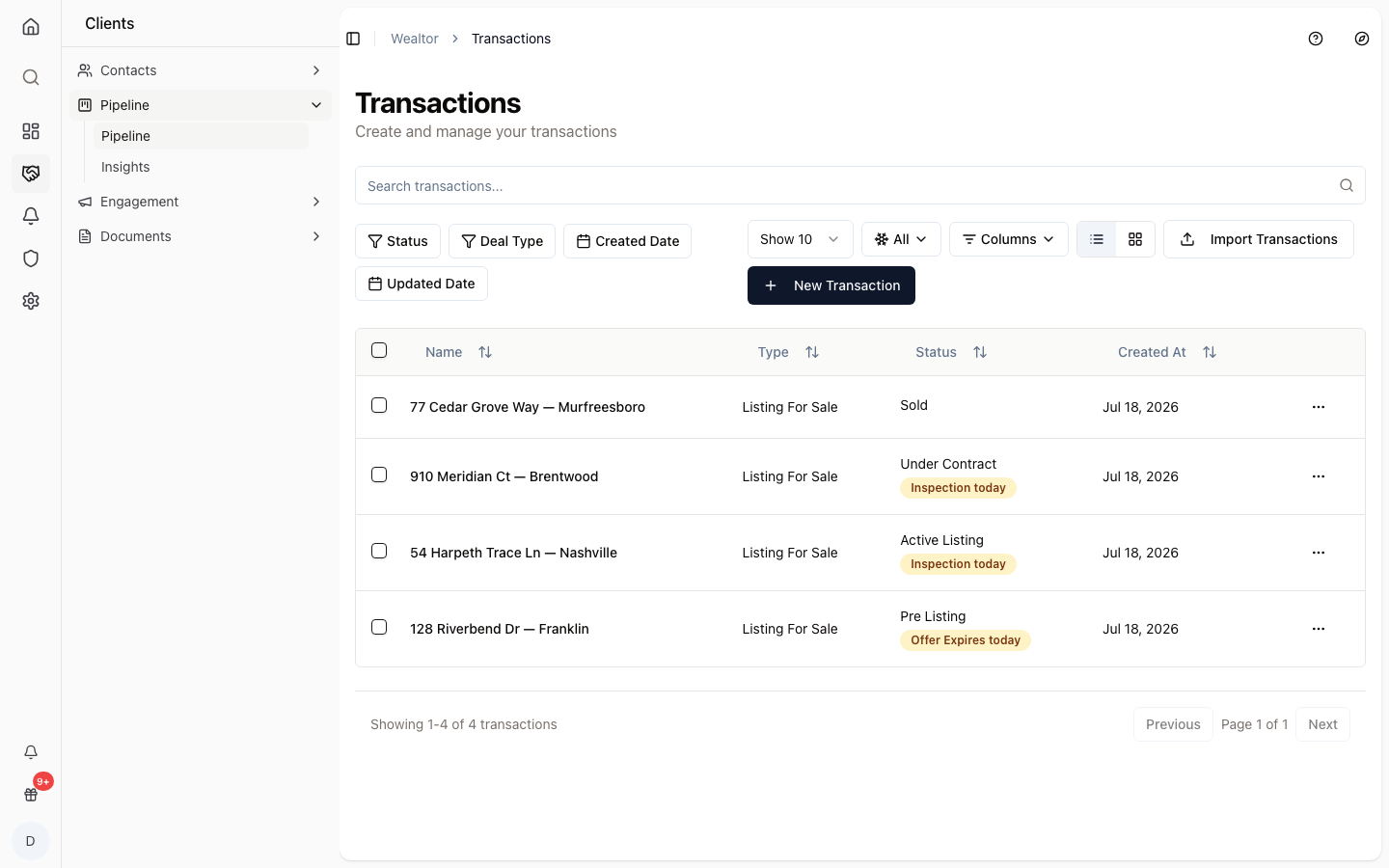
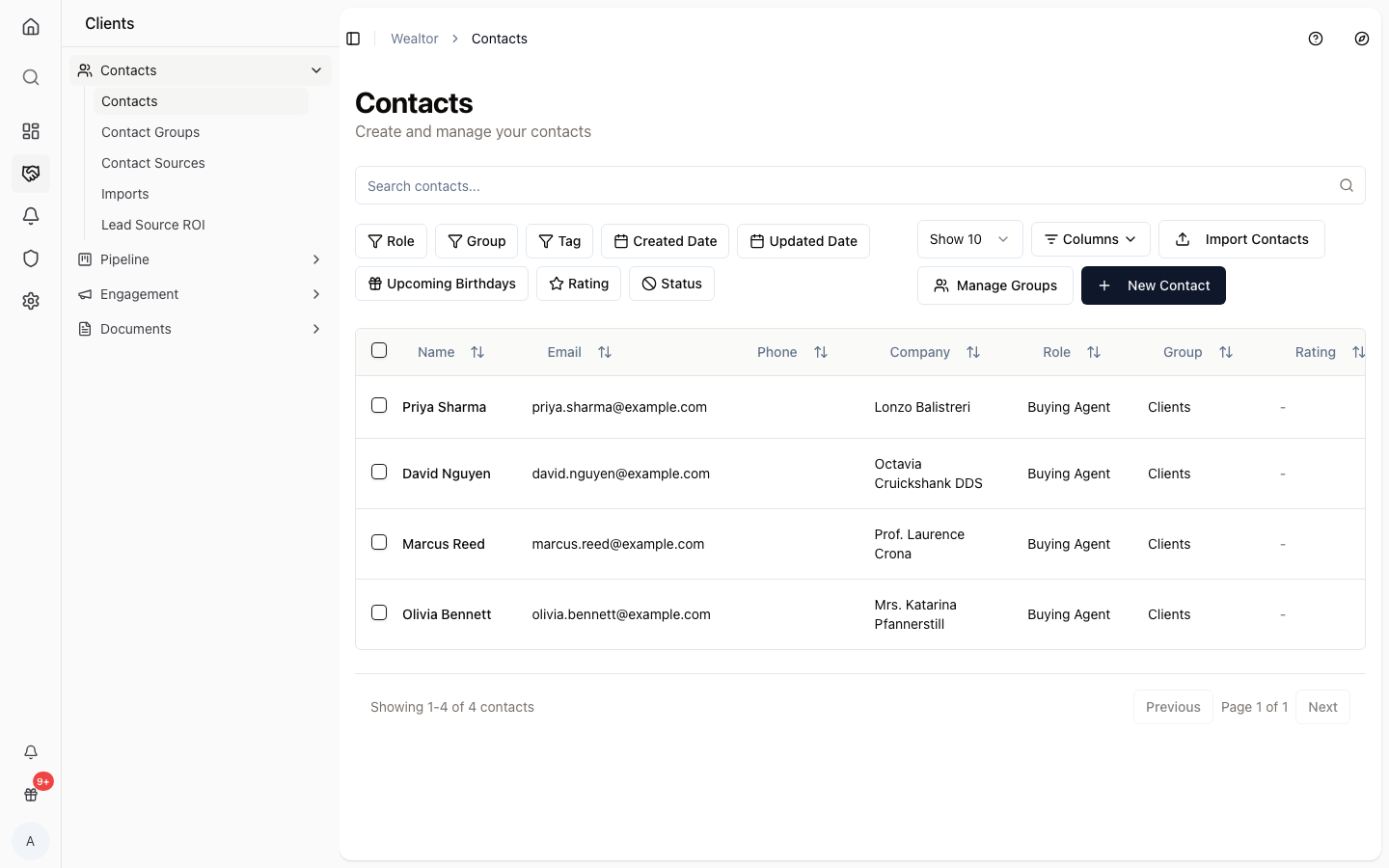
Contacts that hold the details
Keep buyers, sellers, and vendors in one directory with roles, groups, ratings, and the source you met them through.
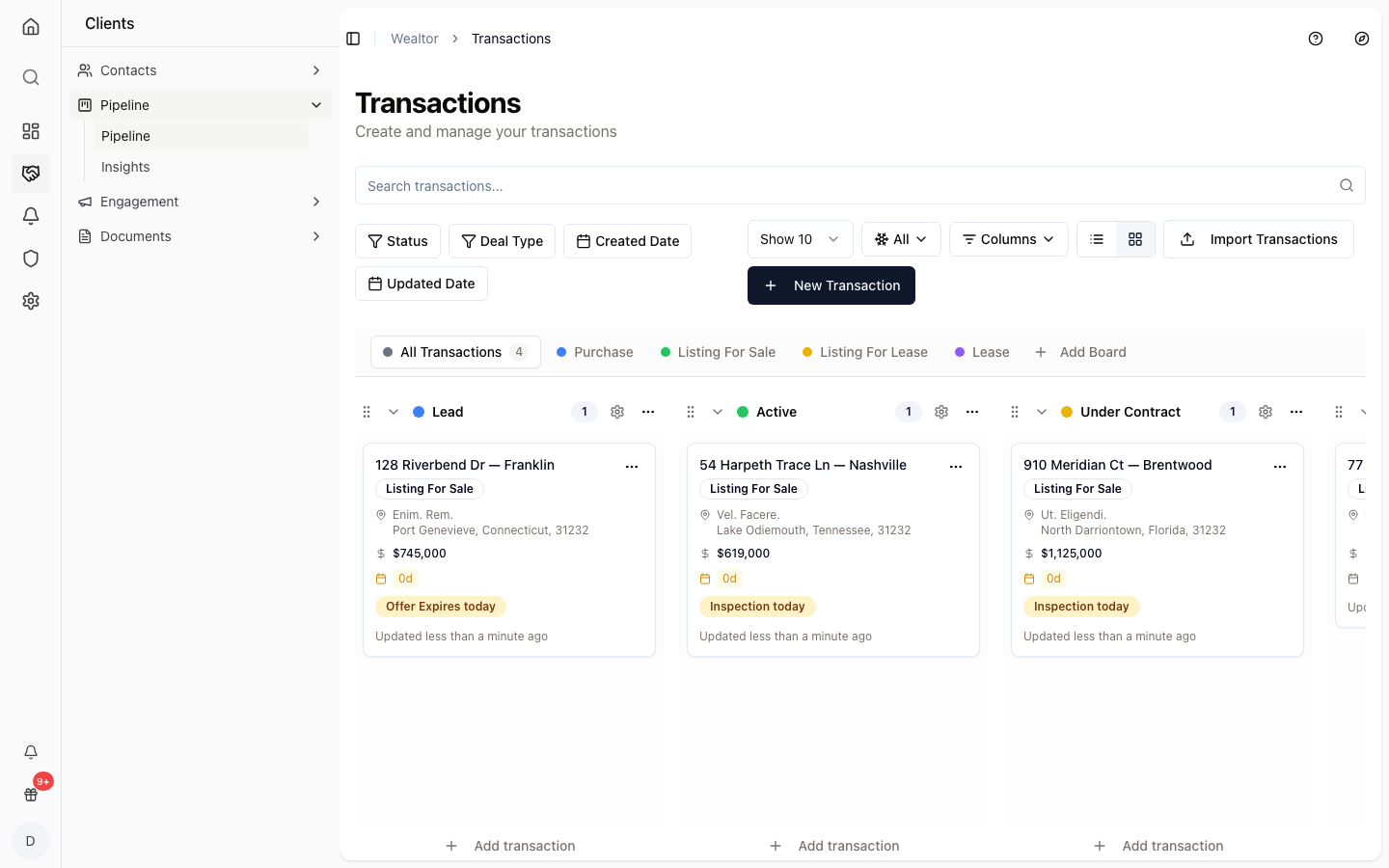
List or board, your choice
Work your deals as a sortable list or drag them across a kanban board by stage, from lead to closed.
How it works
Add your contacts
Import or add buyers, sellers, and vendors to your directory.
Open a deal
Start a transaction and set its stage in the pipeline.
Work it to close
Move the deal through stages while notes and tasks stay attached.
One directory
Every contact in a single searchable list.
Deal stages
See where each transaction stands at a glance.
Notes stay put
Notes and tasks live on the contact or deal.
Roles and groups
Organize contacts by role, group, and rating.
Know your sources
Track where each contact came from.
Nothing in a spreadsheet
Pipeline and contacts replace the side files.
Common questions
- Is the CRM included?
- Yes. Contacts and the transaction pipeline are part of the base Wealtor platform for every agent, not an add-on.
- Can I import my existing contacts?
- Yes. You can import contacts into your directory rather than re-entering them one by one.
- Where do notes and tasks live?
- Notes, tasks, and activity are attached to the contact or deal they belong to, so the context stays with the record.